

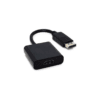
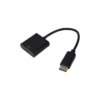
I-ROCK Displayport Male To HDMI Female Cable Converter – Fast and Reliable
Out of stock
وصلة آي روك دي بي إلى إتش دي إم آي لتحويل منفذ دي بي إلى منفذ إتش دي إم آي بسهولة. مناسبة لتوصيل الكمبيوتر أو اللابتوب بشاشة أو تلفزيون أو بروجكتور. تصميم عملي لعرض الشاشة في العمل والدراسة والعروض التقديمية. تمنحك اتصالًا مرتبًا وسريعًا بدون تعقيد.
EGP100.00
Out of stock
Meet the I-ROCK DP to HDMI adapter—a clean, practical solution for turning a DisplayPort output into an HDMI connection. It’s built for everyday setups where you need a fast, no-drama way to connect your device to a bigger screen for work, study, or presentations.
🎯 What It’s For
-
Connect a DisplayPort (DP) source device to an HDMI display
-
Ideal for monitors, TVs, and projectors that accept HDMI input
-
Great for office desks, classrooms, meetings, and home setups
🔌 Connection & Compatibility
This I-ROCK adapter is designed for devices that output DisplayPort, such as compatible PCs or laptops, and displays that use HDMI.
-
DisplayPort (Male) plug connects to your device
-
HDMI (Female) port lets you plug in your HDMI cable to the screen
🧩 Setup Made Simple
-
Plug the adapter into your device’s DisplayPort
-
Connect your HDMI cable from the adapter to your screen’s HDMI port
-
Switch the display input to the correct HDMI source, and you’re ready
🖥️ Use Cases That Actually Matter
-
Extend your desktop to a second monitor for productivity
-
Mirror your screen for presentations or training sessions
-
Connect to a larger display for spreadsheets, browsing, or media playback
✅ Key Details
-
Product Type: Display adapter
-
Conversion Type: DisplayPort (Male) to HDMI (Female)
-
Focus Keyword Product Use: I-ROCK DP to HDMI adapter for DisplayPort-to-HDMI display connection
If you need a straightforward adapter that matches modern DisplayPort laptops/desktops with HDMI screens, this is the compact connector that keeps your setup clean and functional.
Related products
-
كابلات و تحويلات
ATICK 2 in 1 Audio Cable 1.5m – Versatile High-Quality Audio Link for PC, TV, Speakers & Car AUX
 كابلات و تحويلات
ATICK 2 in 1 Audio Cable 1.5m – Versatile High-Quality Audio Link for PC, TV, Speakers & Car AUX
كابل الصوت اتيك ٢ في ١ بطول ١٫٥ متر يوفر توصيلًا سهلًا بين الاجهزة المتوافقة مثل الكمبيوتر او اللابتوب او التلفزيون ومكبرات الصوت او نظام الصوت المنزلي او مدخل او اكس في السيارة. طول ١٫٥ متر يمنحك حرية حركة كافية بدون فوضى اسلاك طويلة، مع غلاف خارجي مرن يسهل لفه وحمله في الشنطة. كابل عملي للاستخدام اليومي في البيت او المكتب او اثناء السفر لتشغيل الموسيقى والفيديوهات بكل بساطة.
SKU: n/a -
كابلات و تحويلات
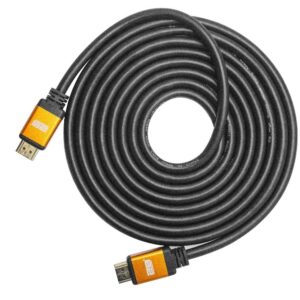
2B DC164 HDMI to HDMI Cable 3M – Reliable High-Quality Video & Audio Connection for TV & Monitor
 كابلات و تحويلات
2B DC164 HDMI to HDMI Cable 3M – Reliable High-Quality Video & Audio Connection for TV & Monitor
كابل اتش دي ام اي تو بي دي سي164 من اتش دي ام اي إلى اتش دي ام اي بطول 3 متر لتوصيل التلفزيون أو الشاشة أو البروجكتور بالأجهزة المتوافقة. طول عملي يساعد على ترتيب الكابلات خلف الشاشة أو داخل وحدة التلفزيون بدون شد على المنافذ. مناسب للاستخدام المنزلي والمكتبي والعروض التقديمية لتوصيل ثابت وسهل.
SKU: n/a -
كابلات و تحويلات
Audio Convert 2.5mm Male to Dual 3.5mm Female Adapter – Compact Stereo Splitter for Headphones & AUX
 كابلات و تحويلات
Audio Convert 2.5mm Male to Dual 3.5mm Female Adapter – Compact Stereo Splitter for Headphones & AUX
محول اوديو كونفرت ٢٫٥ ذكر إلى عدد ٢ منفذ صوت ٣٫٥ انثى مصمم لتحويل مخرج الصوت الصغير ٢٫٥ ملليمتر إلى مداخل سماعات واو اكس قياسية ٣٫٥ ملليمتر. يسمح بتوصيل سماعتين او كابلين صوت في نفس الوقت من نفس الجهاز، ليكون مناسبًا لمشاركة الاستماع او توصيل سماعات وعرض صوتي آخر. يعمل بتقنية توصيل وتشغيل بدون باور او تعريفات، بحجم صغير يسهل حمله في الجيب او شنطة اللاب توب للاستخدام في البيت والعمل والسفر.
SKU: n/a